
Written by Mario Sanchez — Certified AMX Designer & Programmer, Savant Programmer + Installer, Harman Pro Audio Designer (AKG, BSS, Crown, dbx, JBL Pro). 15+ years serving Cypress, Tomball, and Hockley.
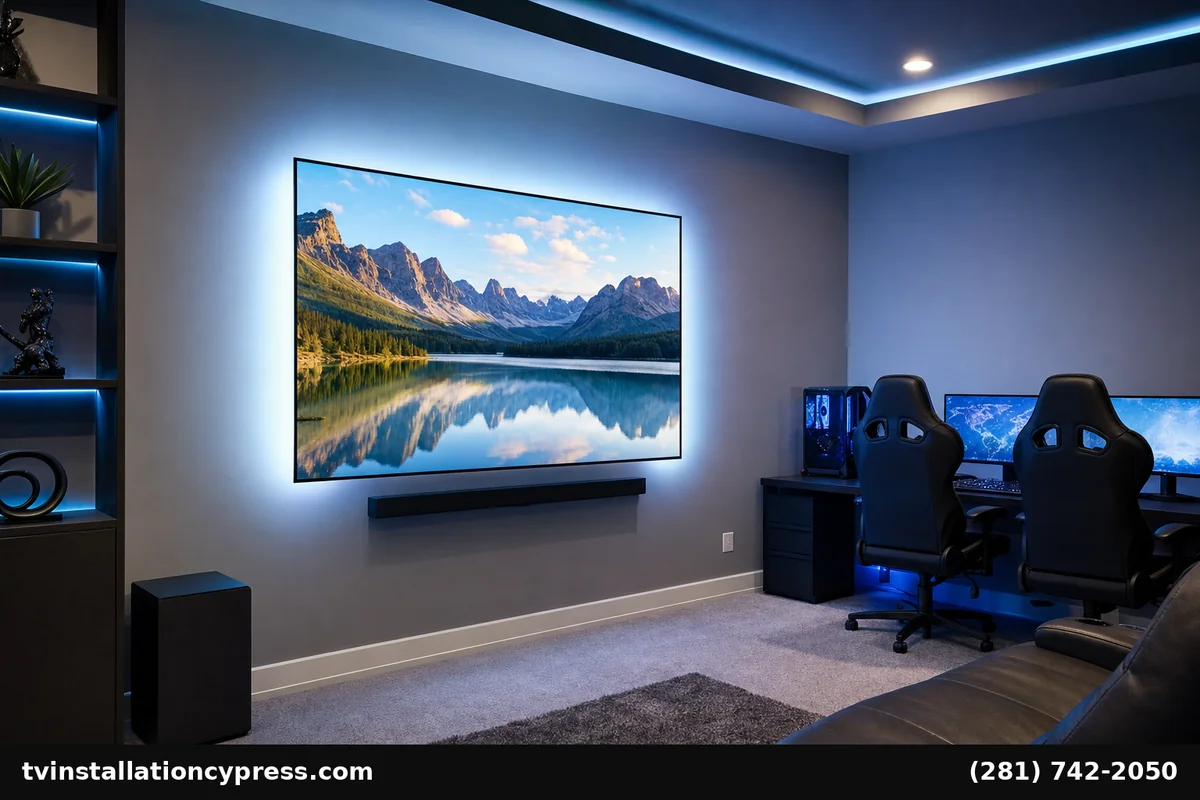
Game rooms in Cypress homes range from a kid’s PlayStation in a corner of the bonus room to a serious home setup with a 77-inch OLED, 5.1 surround, RGB lighting scenes, and a separate PC battle station. The line that separates “kids’ room” from “the best room in the house” is the AV setup. This guide walks through how we approach game room AV setup Cypress projects across all budgets.
Game Room AV Setup Cypress Families Actually Use
Related: which type of tv mount is right for your installation · the best projector screens · tv on the wall · tv installation · speakers · contact us
Three setup tiers cover most Cypress game rooms:
Tier 1: Casual family gaming
One console (Xbox Series X, PS5, or Switch 2), 55”–65” TV, sound from a small soundbar. Used for couch co-op, family game nights, and some streaming. Budget: $1,200–$2,500.
Tier 2: Serious console gamer
One or two consoles, 65”–77” OLED TV with low input lag and high refresh rate, 5.1 surround sound, gaming chairs or dedicated couch, accent lighting. Budget: $3,500–$8,500.
Tier 3: Hybrid console + PC battle station
Big TV for couch gaming, plus a gaming PC desk with separate monitor and mechanical keyboard setup. RGB lighting, surround sound, possibly a custom-built room. Budget: $7,500–$25,000.
The TV: Why OLED Wins for Gaming
The single biggest gaming AV decision is the display. For console gaming on Xbox Series X and PS5, an OLED TV with HDMI 2.1 support is the right answer, and LG OLED sets the standard. Specifically:
-
4K @ 120Hz — Xbox Series X and PS5 both support 120Hz at 4K on supported titles. LG OLED handles it natively.
-
Variable Refresh Rate (VRR) — eliminates screen tearing. LG OLED supports HDMI VRR and FreeSync Premium.
-
Auto Low Latency Mode (ALLM) — TV switches to game mode automatically when console wakes up. Input lag drops to ~5ms.
-
Per-pixel contrast — OLED black levels make dark game scenes look right. HDR pops without blooming.
-
120Hz HDMI 2.1 input — required for next-gen consoles to hit their best.
The LG C-series (C4 currently) is the sweet spot for most Cypress game rooms. The LG G-series steps up to higher peak brightness for brighter rooms or competitive play.
Sound: Surround for Gaming Done Right
Gaming audio benefits enormously from surround sound — footsteps in shooters, environmental cues in adventure games, racing telemetry in driving sims. For Cypress game rooms we use Klipsch Reference series for the dynamic punch gaming demands:
-
Casual setup — Klipsch Flexus Core 200 soundbar. Punches well above its size for gaming audio.
-
Serious 5.1 — Klipsch Reference Premiere RP-504C center, RP-502S surrounds, RP-1200SW subwoofer, driven by a Marantz or Denon receiver.
-
Atmos 5.1.2 — adds RP-500SA height modules on top of front bookshelf speakers for vertical sound localization in compatible games (Forza, Hellblade, Diablo IV).
For competitive gamers a wired gaming headset is still the standard for tournament play; the speaker setup handles couch/co-op and casual gaming.
Lighting: Where Cypress Game Rooms Get Fun
RGB lighting is overused on social media but underused in real installs. Done well, it transforms a game room without overwhelming the rest of the home. Three good layers:
-
TV bias lighting — color-changing LED strip behind the TV reduces eye strain and adds visual punch. Sync to on-screen color with Philips Hue HDMI Sync Box for compatible setups.
-
Cove or under-shelf LED — soft accent lighting in cool blue or amber, dimmable for movie nights.
-
Smart bulb lamps — color-changing accent lamps near the gaming chair or PC desk.
For Cypress homes that already have smart home control (Lutron, Hue), we tie game-room lighting into scenes so “gaming mode” sets the whole room.
Console and Source Setup
Modern game rooms have multiple sources — console(s), streaming device, possibly a gaming PC. Cable management matters. Standard Cypress install:
-
Low media console below the TV holds all hardware in one place.
-
Ventilated cable management box keeps controllers tidy and accessible.
-
HDMI 2.1 cables from each console to TV (don’t use older HDMI cables — they limit refresh rate).
-
Network: wired Ethernet from console to router beats WiFi for latency-sensitive games. We pull Cat6 to the game room when feasible.
-
Surge protection: dedicated power strip with surge and clean ground for sensitive gaming hardware.
What’s Included in a Cypress Game Room AV Setup
-
Design consultation — room layout, seating, TV size, sound goal, lighting style.
-
TV wall mounting with hidden cables.
-
Console and source connections — HDMI 2.1 throughout, properly switched and labeled.
-
Sound system installation — soundbar to full 5.1 Atmos, calibrated for the room.
-
Lighting installation — bias, cove, accent layers programmed for scenes.
-
Network connectivity — wired Ethernet to console location where possible.
-
System integration — one-touch “gaming mode” scene if home has smart hub.
-
Family training and tuning.
Tier 1 install: $1,200–$2,500. Tier 2: $3,500–$8,500. Tier 3 hybrid setups: $7,500–$25,000.
Cypress-Specific Notes
Bridgeland and Towne Lake newer builds: often have a bonus room or game room above the garage that’s perfect for this. Pre-wired in some cases for HDMI between media closet and TV — we verify what’s in the wall before pulling new cable. Older Cypress neighborhoods (Copperfield, Cypress Creek): often need new low-voltage runs but standard 16” framing makes it routine.
Frequently Asked Questions
OLED vs QLED for gaming in Cypress homes?
OLED wins for dark rooms and serious gaming (perfect blacks, near-zero input lag). QLED makes sense for very bright rooms where peak brightness matters more than contrast. Most Cypress game rooms have controlled light, so OLED is our default.
Do I need 120Hz for console gaming?
For competitive online games, yes — the smoothness difference is real. For story/single-player games, 60Hz is fine. Future-proof your TV purchase with a 120Hz panel even if you mostly play single-player today.
What size TV is best for a Cypress game room?
65”–77” for couch gaming at typical Cypress family-room distances (8–11 feet). PC gaming at a desk uses a separate monitor; the TV is for couch play.
Will a soundbar work or do I need surround speakers?
A good soundbar (Klipsch Flexus, Sonos Arc) handles casual gaming. For serious shooters and immersive games, dedicated surround speakers with rear placement deliver dramatically better positional audio cues.
Can you set up streaming for the same TV?
Yes — streaming devices coexist with consoles on the TV’s HDMI inputs. We typically add Apple TV 4K or Fire TV alongside the console for movie nights without console-menu navigation.
How long does a Cypress game room AV setup take?
Tier 1: half-day on site. Tier 2: full day. Tier 3 hybrid: 2 days on site after equipment lead time.
Build Your Cypress Game Room
From a casual family Switch setup to a fully kitted hybrid console-and-PC battle station, game room AV setup Cypress service starts at $1,200. Call (281) 742-2050 or visit our Google Business Profile to book.